How to get GPT Business text messages
GPT Business texts are optional. You can buy, sign up for and use every part of GPT Business without them; we also send every account notice by email.
1. At signup
On app.gptbusiness.io/signup, under “Text updates (optional)”, you can enter your mobile number and tick an unchecked box. It is separate from the Terms box and from checkout, and signup works the same if you leave it blank. The box reads: “Yes, text me account setup, sign-in, billing and service notices from GPT Business at this number. Message frequency varies. Msg & data rates may apply. Reply STOP to cancel, HELP for help. Consent is not a condition of signup or purchase. See our Terms and Privacy Notice.”
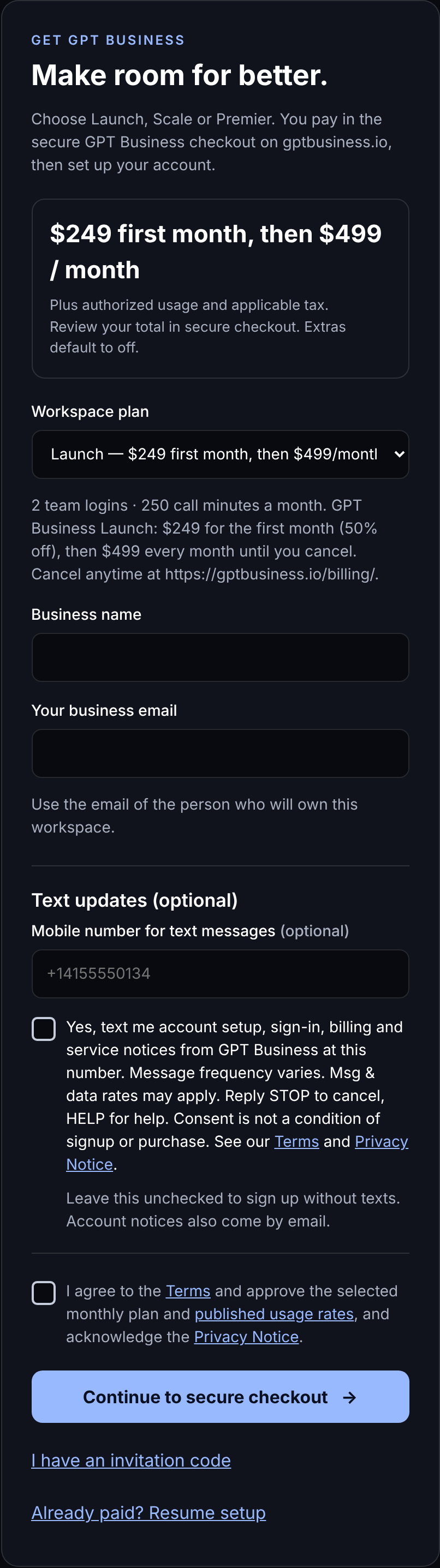
2. In Settings
Account owners can add their own mobile number under Settings, Notifications, “Texts from GPT Business”, read the notice shown there, and confirm with a code we text them.
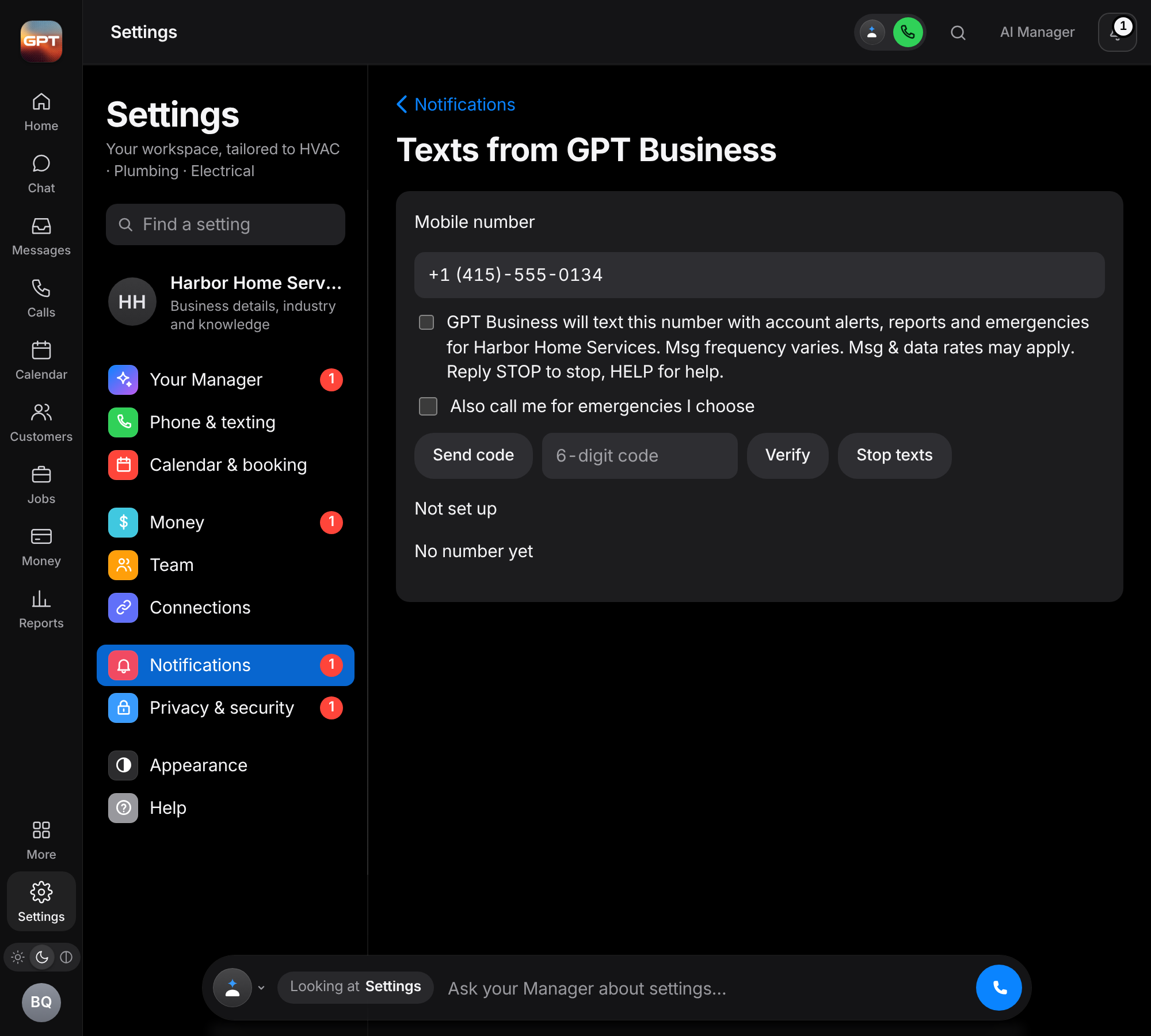
3. By text
Text START to +1 (888) 999-2941. Our first reply tells you what you’ll get, how often, and how to stop.
What you’ll get
Sign-in links, account setup, billing and service notices, alerts about your own workspace, and replies when you text us. No marketing.
Message frequency varies. Msg & data rates may apply. Reply STOP to cancel at any time, HELP for help, or email support@gptbusiness.io. No mobile information will be sold or shared with third parties for promotional or marketing purposes. Text-message opt-in data and consent are never shared with third parties.
Read our Terms and Privacy Notice, and the text-message program page.